Flowcharting is a powerful tool used to visualize and represent the sequence of steps and decisions needed to perform a process. It is widely used in various fields, including business, engineering, and computer programming, to analyze, design, and optimize processes. Flowcharts consist of a series of symbols connected by arrows, each representing a specific action, decision, or outcome. Understanding the meaning of these symbols is essential for creating and interpreting flowcharts effectively. In this article, we will explore the most commonly used flowcharting symbols and their meanings.
1. Oval Shape: Terminator
The oval shape, also known as the terminator, represents the start or end of a process. It is usually used to indicate the beginning or ending of a flowchart, and it is often labeled as "Start" or "End." The oval shape serves as a clear indicator of where the process begins and ends, making it easier to follow and understand the flowchart.
2. Rectangle: Process
The rectangle is used to represent a process or an action that is performed during the flowchart. It is often labeled with a brief description of the action, such as "Enter Data" or "Calculate Total." Rectangles are the most common symbol in flowcharts, and they are used to show the specific steps that are taken during the process.
3. Diamond Shape: Decision
The diamond shape, also known as the decision symbol, represents a point in the process where a decision is made. It is often labeled with a question, such as "Is X greater than Y?" or "Is the customer eligible?" The diamond shape is used to indicate a conditional statement, where the flow of the process depends on the outcome of the decision.
4. Parallelogram: Input/Output
The parallelogram is used to represent input or output operations, such as reading data from a file or printing a report. It is often labeled with a description of the input or output operation, such as "Read Customer Data" or "Print Invoice." The parallelogram serves as a clear indicator of where data is being entered or output from the process.
5. Arrow: Flowline
The arrow, also known as the flowline, is used to connect the various symbols in the flowchart and show the direction of the process. The arrow indicates the sequence of steps and the flow of control from one symbol to another. It is essential to use arrows consistently to avoid confusion and ensure that the flowchart is easy to follow.
6. Circle: Connector
The circle is used as a connector symbol to connect two or more flowlines that are not directly related to each other. It is often labeled with a letter or number, and it serves as a reference point to indicate the connection between different parts of the flowchart. The circle is used to avoid crossing flowlines and to keep the flowchart organized and easy to read.
7. Arrowhead: Direction of Flow
The arrowhead is used to indicate the direction of flow in the flowchart. It is often used in conjunction with the flowline to show the direction of the process. The arrowhead serves as a clear indicator of where the process is going and helps to avoid confusion.
8. Loop: Repetition
The loop symbol is used to represent a repetition in the process, where a set of steps is repeated until a certain condition is met. It is often labeled with a description of the loop, such as "Loop until X is true." The loop symbol serves as a clear indicator of where the process is repeated and helps to avoid confusion.
9. Document: Data File
The document symbol is used to represent a data file or a document that is used in the process. It is often labeled with a description of the document, such as "Customer Database" or "Invoice Template." The document symbol serves as a clear indicator of where data is being stored or retrieved from.
10. Manual Input: Manual Operation
The manual input symbol is used to represent a manual operation or an action that is performed by a person, such as entering data or reviewing a document. It is often labeled with a description of the manual operation, such as "Enter Customer Information" or "Review Report." The manual input symbol serves as a clear indicator of where human intervention is required in the process.
If you are searching about Flowchart Symbols - A post by Yonatan Ben Knaan of the WWApe you've came to the right place. We have 10 Pics about Flowchart Symbols - A post by Yonatan Ben Knaan of the WWApe like PPT - Flowcharting Symbols PowerPoint Presentation, free download - ID, (PDF) FLOWCHARTING - randy · PDF fileCOP 2000 Flowcharting Symbols and also Flowcharting symbols - Flowcharting Symbols jcaluag@ateneo Symbol Name. Here you go:
Flowchart Symbols - A Post By Yonatan Ben Knaan Of The WWApe
 wwape.com
Flowchart Symbols - A post by Yonatan Ben Knaan of the WWApe
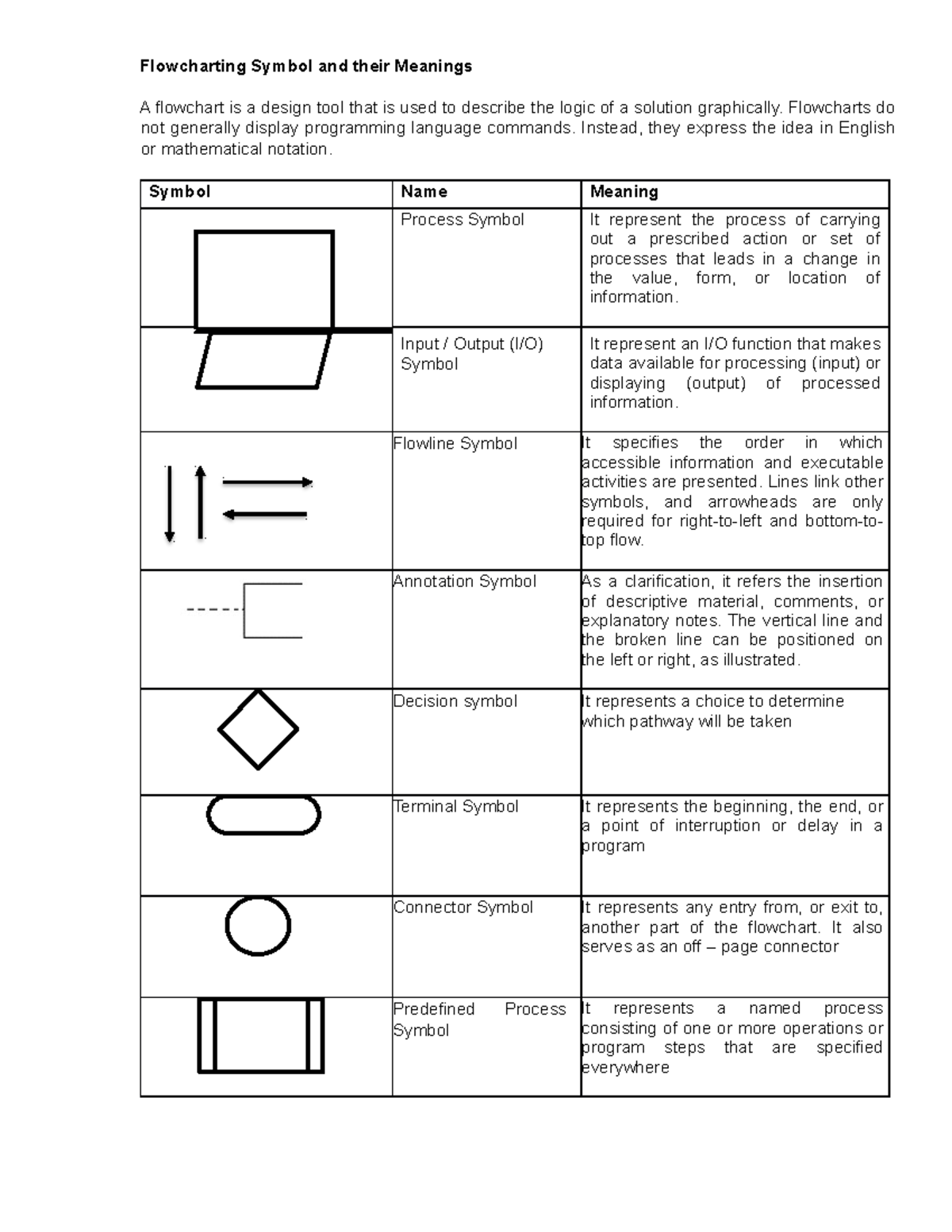
Flowcharting Symbol And Their Meanings- Computer Programming
 www.studocu.com
Flowcharting Symbol and their Meanings- Computer Programming ...
(PDF) FLOWCHARTING - Randy · PDF FileCOP 2000 Flowcharting Symbols
 dokumen.tips
(PDF) FLOWCHARTING - randy · PDF fileCOP 2000 Flowcharting Symbols ...
SOLUTION: Ais S03 Systems Flowcharting Symbols - Studypool
 www.studypool.com
SOLUTION: Ais s03 systems flowcharting symbols - Studypool
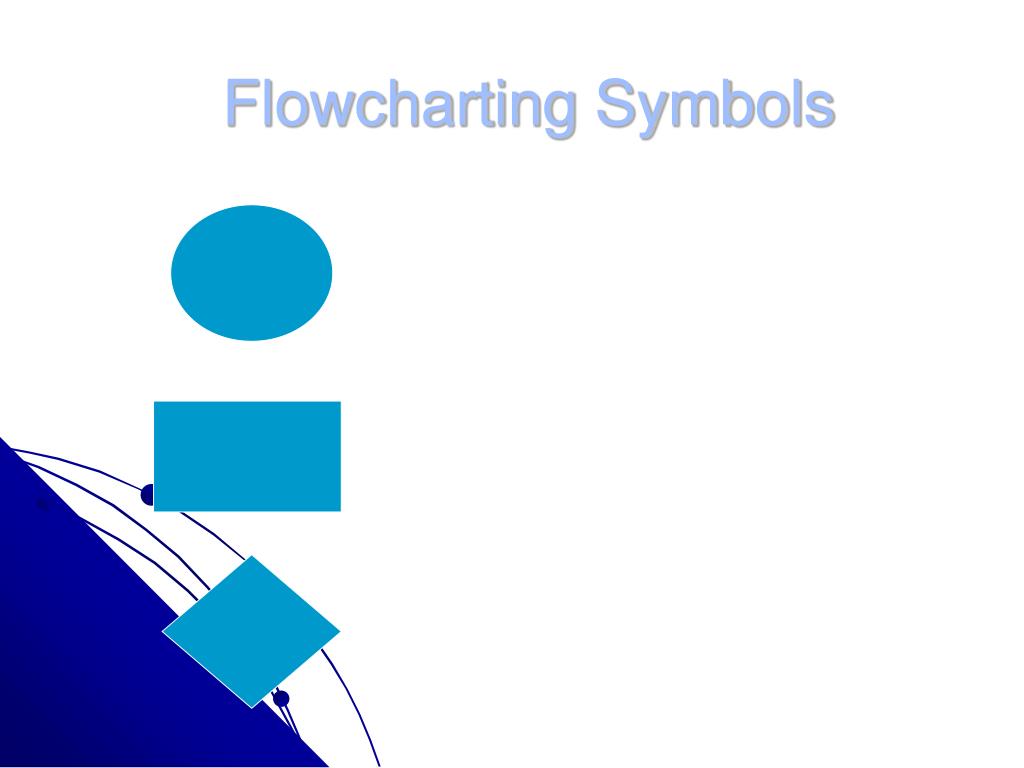
PPT - Using Flowcharting To Improve Inefficiencies PowerPoint
 www.slideserve.com
PPT - Using Flowcharting to Improve Inefficiencies PowerPoint ...
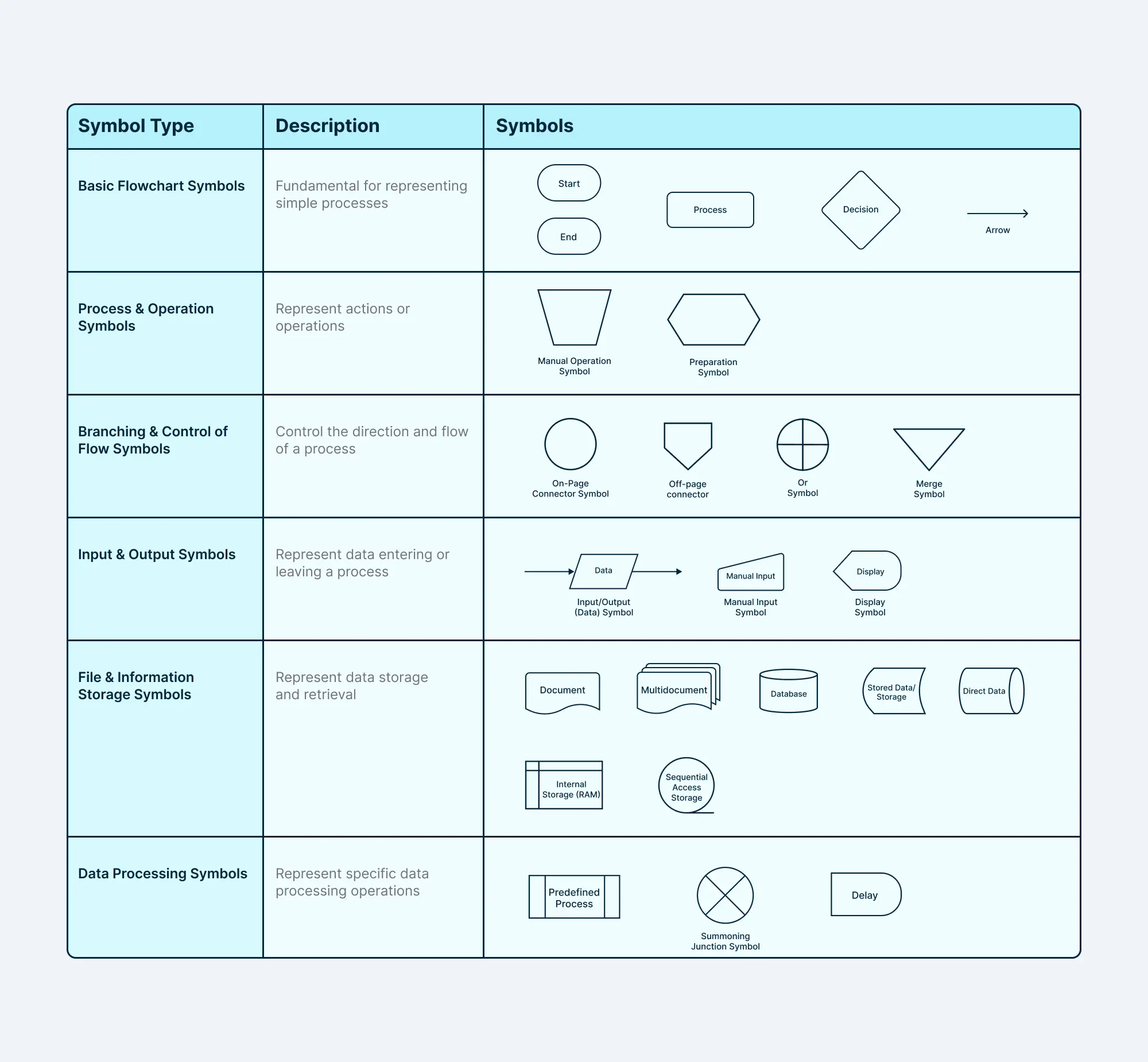
Mapping Symbols
 utpaqp.edu.pe
Mapping Symbols
PPT - Flowcharting Symbols PowerPoint Presentation, Free Download - ID
 www.slideserve.com
PPT - Flowcharting Symbols PowerPoint Presentation, free download - ID ...
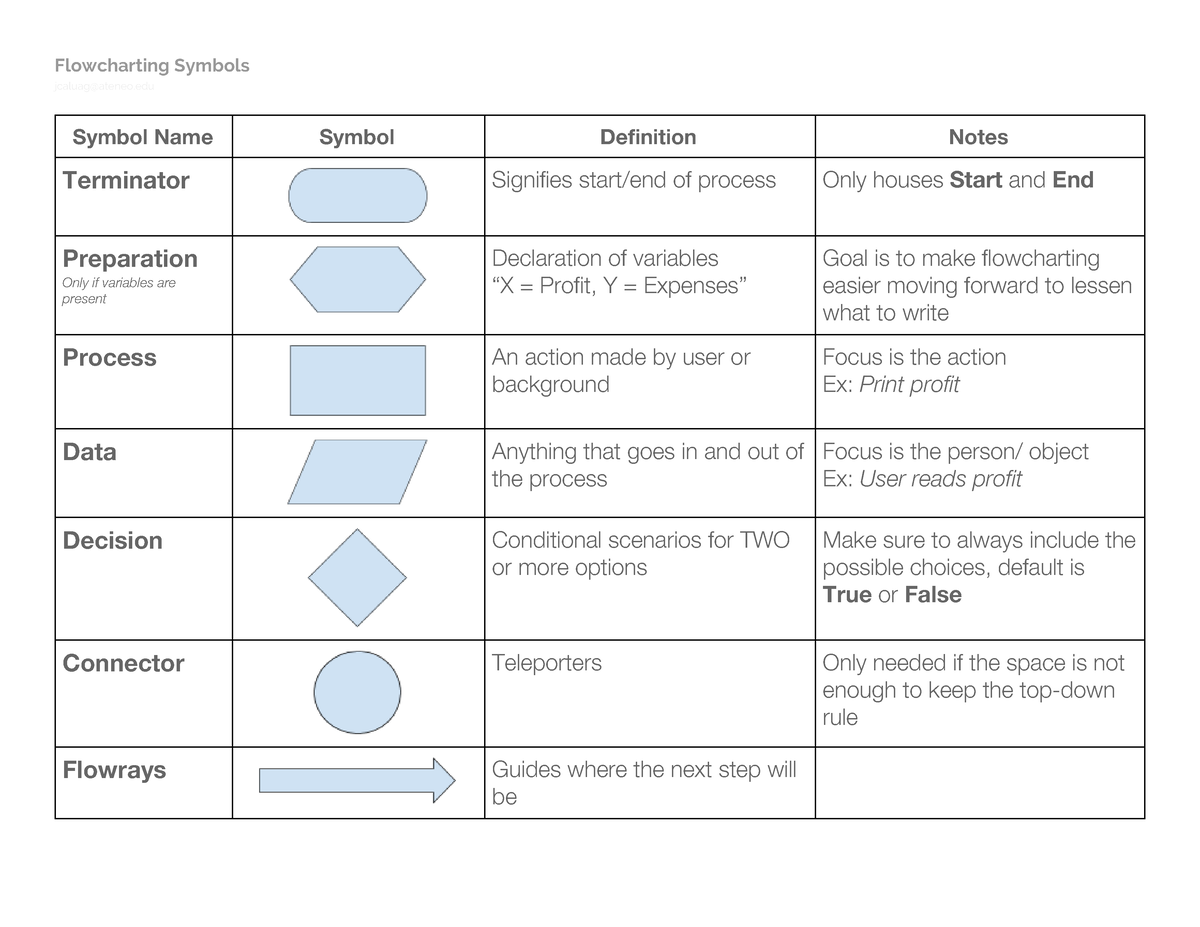
Flowcharting Symbols - Flowcharting Symbols Jcaluag@ateneo Symbol Name
 www.studocu.com
Flowcharting symbols - Flowcharting Symbols jcaluag@ateneo Symbol Name ...
Basic Flowcharting Symbols | Download Scientific Diagram
 www.researchgate.net
Basic flowcharting symbols | Download Scientific Diagram
Flowchart Symbols: A Quick Guide | Miro
 miro.com
Flowchart Symbols: A Quick Guide | Miro
Flowchart symbols. Solution: ais s03 systems flowcharting symbols. Solution: ais s03 systems flowcharting symbols

