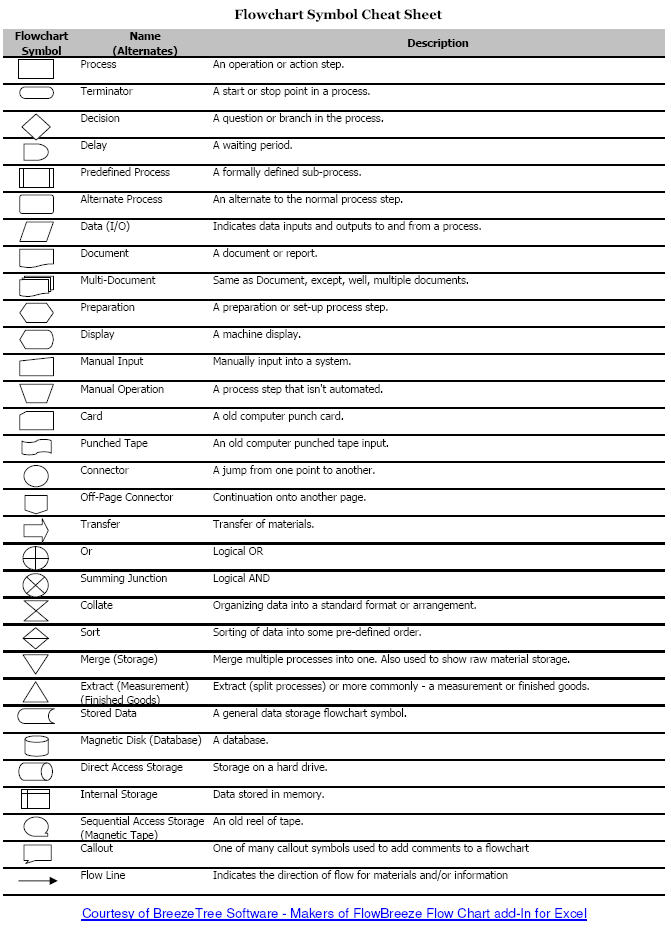
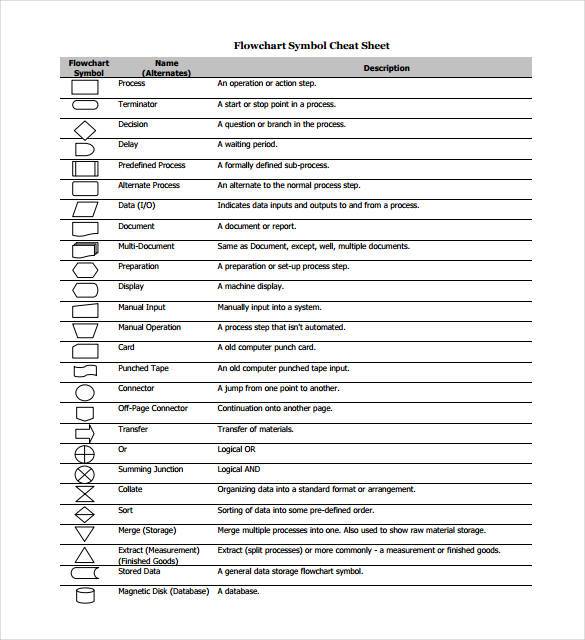
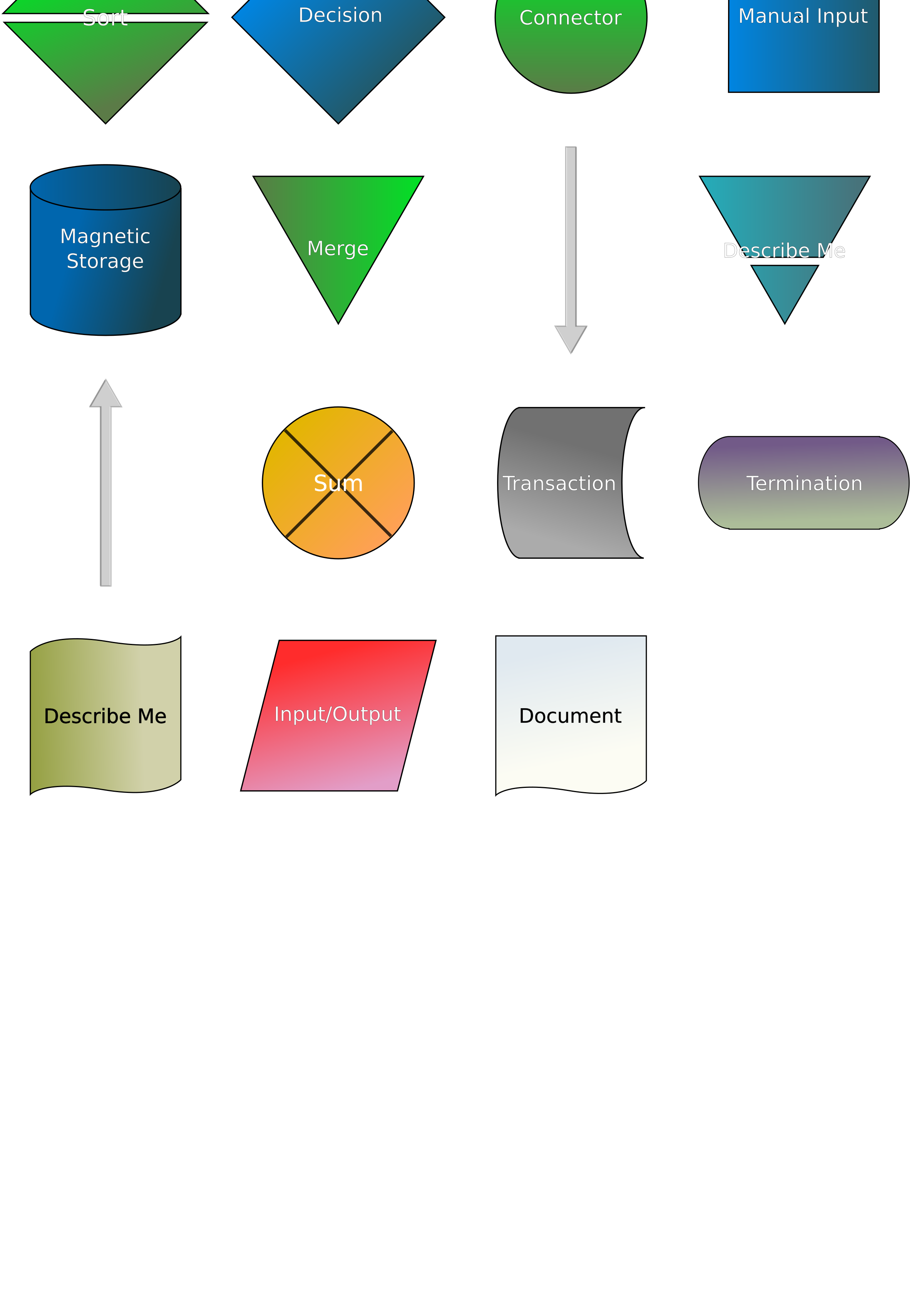
When working with flowcharts, it's essential to have a solid understanding of the various symbols used to represent different components and actions. These symbols serve as the building blocks of flowcharts, allowing us to visualize and communicate complex processes and systems effectively. In this article, we'll delve into a comprehensive flowchart symbols cheat sheet, exploring the most commonly used symbols and their meanings. Whether you're a seasoned professional or just starting out, this guide will help you navigate the world of flowcharting with confidence.
1. Oval or Ellipse: Terminal Symbol
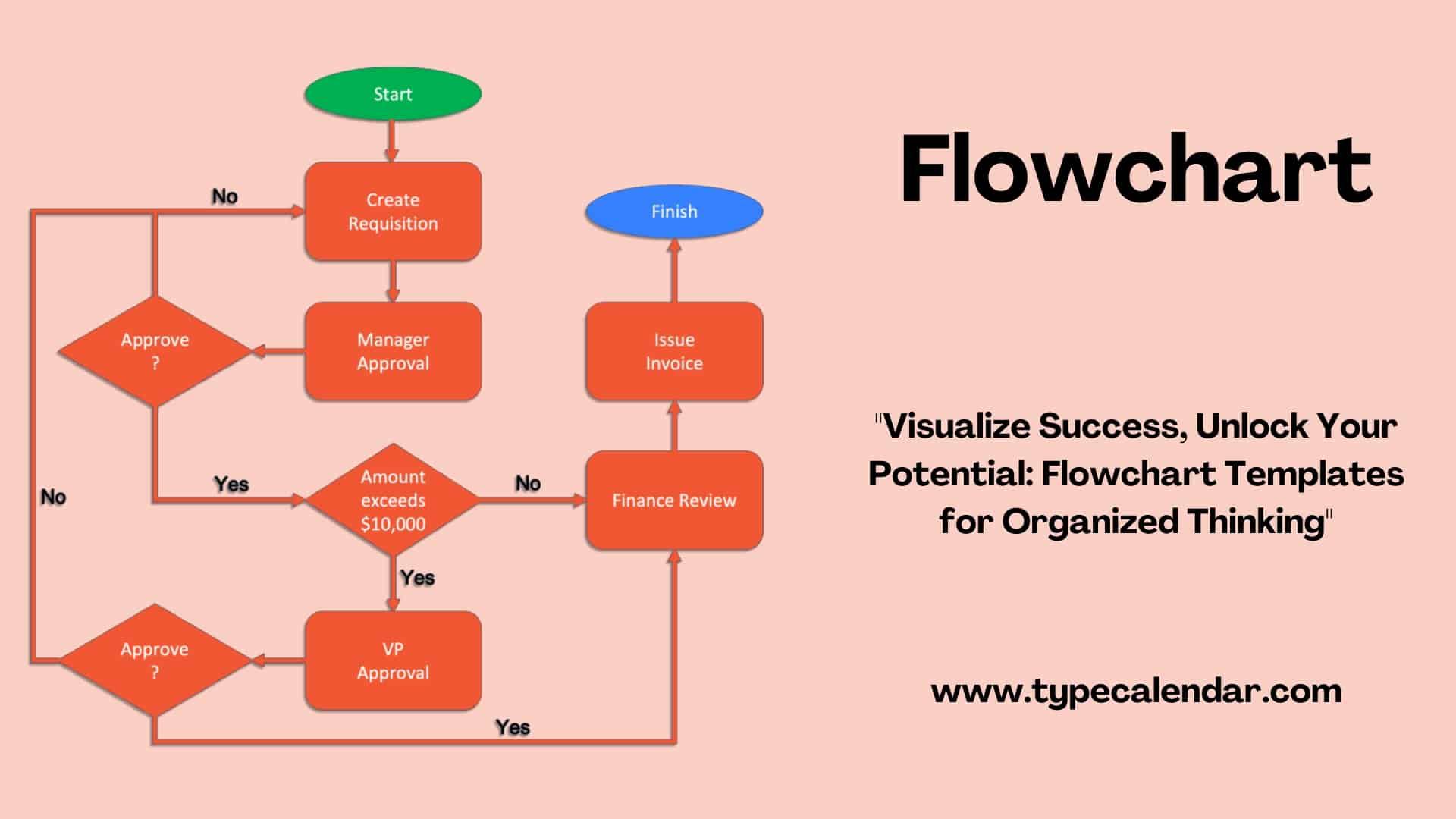
The oval or ellipse symbol, also known as the terminal symbol, is used to represent the start or end of a process. It's typically used to indicate the beginning or termination of a flowchart, and can also be used to show the entry or exit points of a subprocess. The terminal symbol is usually labeled with a descriptive title, such as "Start" or "End," to provide context and clarity.
2. Rectangle: Process Symbol
The rectangle symbol, also known as the process symbol, is used to represent a specific process or action within a flowchart. It's used to describe a particular step or operation, and can include text or other symbols to provide additional context. Process symbols are often used to represent tasks, calculations, or other types of processing that occur within a system.
3. Rhombus: Decision Symbol
The rhombus symbol, also known as the decision symbol, is used to represent a decision or conditional statement within a flowchart. It's used to indicate a point at which a choice or decision is made, and can be used to represent if-then statements, switch statements, or other types of conditional logic. The decision symbol is typically labeled with a question or condition, such as "Is X true?" or "Is Y greater than Z?"
4. Parallelogram: Input/Output Symbol
The parallelogram symbol, also known as the input/output symbol, is used to represent input or output operations within a flowchart. It's used to describe data entry, data output, or other types of input/output interactions, such as reading from a file or displaying information on a screen. The input/output symbol can be labeled with text or other symbols to provide additional context and clarity.
5. Arrow: Flowline Symbol
The arrow symbol, also known as the flowline symbol, is used to represent the flow of control within a flowchart. It's used to indicate the direction of flow between different symbols, and can be used to show the sequence of steps or operations within a process. The flowline symbol is typically used to connect other symbols, such as process symbols, decision symbols, or terminal symbols, to create a visual representation of the flowchart.
6. Circle: Connector Symbol
The circle symbol, also known as the connector symbol, is used to represent a connection or junction point within a flowchart. It's used to connect multiple flowlines or symbols, and can be used to indicate a point at which the flow of control splits or merges. The connector symbol is typically used to simplify complex flowcharts, making it easier to follow the sequence of steps or operations.
7. Lozenge: Predefined Process Symbol
The lozenge symbol, also known as the predefined process symbol, is used to represent a predefined or pre-existing process within a flowchart. It's used to describe a process or function that has already been defined elsewhere, such as a subroutine or a library function. The predefined process symbol is typically labeled with the name of the predefined process, and can be used to simplify complex flowcharts by avoiding redundant or repetitive information.
8. Document: Data Symbol
The document symbol, also known as the data symbol, is used to represent data or information within a flowchart. It's used to describe data storage, data retrieval, or other types of data interactions, such as reading from a database or writing to a file. The data symbol can be labeled with text or other symbols to provide additional context and clarity, and is often used to represent the input or output of a process or operation.
9. Manual Input: Manual Operation Symbol
The manual input symbol, also known as the manual operation symbol, is used to represent a manual operation or user input within a flowchart. It's used to describe tasks or actions that require human intervention, such as data entry, inspection, or approval. The manual operation symbol is typically labeled with a descriptive title, such as "Enter Data" or "Review Report," to provide context and clarity.
10. Stored Data: Storage Symbol
The stored data symbol, also known as the storage symbol, is used to represent data storage within a flowchart. It's used to describe data that is stored or retrieved from a database, file, or other type of storage device. The storage symbol can be labeled with text or other symbols to provide additional context and clarity, and is often used to represent the input or output of a process or operation. By using these flowchart symbols, you can create clear, concise, and effective flowcharts that communicate complex processes and systems with ease.
If you are searching about Flowchart Symbols Cheat Sheet - Sample Template you've visit to the right place. We have 10 Images about Flowchart Symbols Cheat Sheet - Sample Template like Flowchart Symbols Cheat Sheet Flowchart In Word Images Images, Flowchart Symbols Cheat Sheet Flowchart In Word Images Images and also Flowchart Symbols Cheat Sheet - Sample Template. Read more:
Flowchart Symbols Cheat Sheet - Sample Template
 sampletemplate10.blogspot.com
Flowchart Symbols Cheat Sheet - Sample Template
Flowchart Symbols Cheat Sheet - Sample Template
 sampletemplate10.blogspot.com
Flowchart Symbols Cheat Sheet - Sample Template
Flowchart Symbols Cheat Sheet Flowchart In Word Images Images
 utpaqp.edu.pe
Flowchart Symbols Cheat Sheet Flowchart In Word Images Images ...
Flowchart Symbols Cheat Sheet
 fresh-catalog.com
Flowchart Symbols Cheat Sheet
Flowchart Symbols Cheat Sheet - Sample Template
 sampletemplate10.blogspot.com
Flowchart Symbols Cheat Sheet - Sample Template
Basic Flowchart Symbols And Meaning Process Flowchart Use The
 utpaqp.edu.pe
Basic Flowchart Symbols And Meaning Process Flowchart Use The ...
Flowchart Symbols Cheat Sheet Flowchart In Word Images Images
 utpaqp.edu.pe
Flowchart Symbols Cheat Sheet Flowchart In Word Images Images ...
Flowchart Symbols Cheat Sheet Pdf Flow Chart Images And Photos Finder
 utpaqp.edu.pe
Flowchart Symbols Cheat Sheet Pdf Flow Chart Images And Photos Finder ...
Flowchart Symbols Cheat Sheet Flowchart In Word Images Images
 utpaqp.edu.pe
Flowchart Symbols Cheat Sheet Flowchart In Word Images Images ...
Flowchart Symbols Cheat Sheet - Sample Template
 sampletemplate10.blogspot.com
Flowchart Symbols Cheat Sheet - Sample Template
flowchart symbols cheat sheet flowchart in word images images .... Flowchart symbols cheat sheet. flowchart symbols cheat sheet

